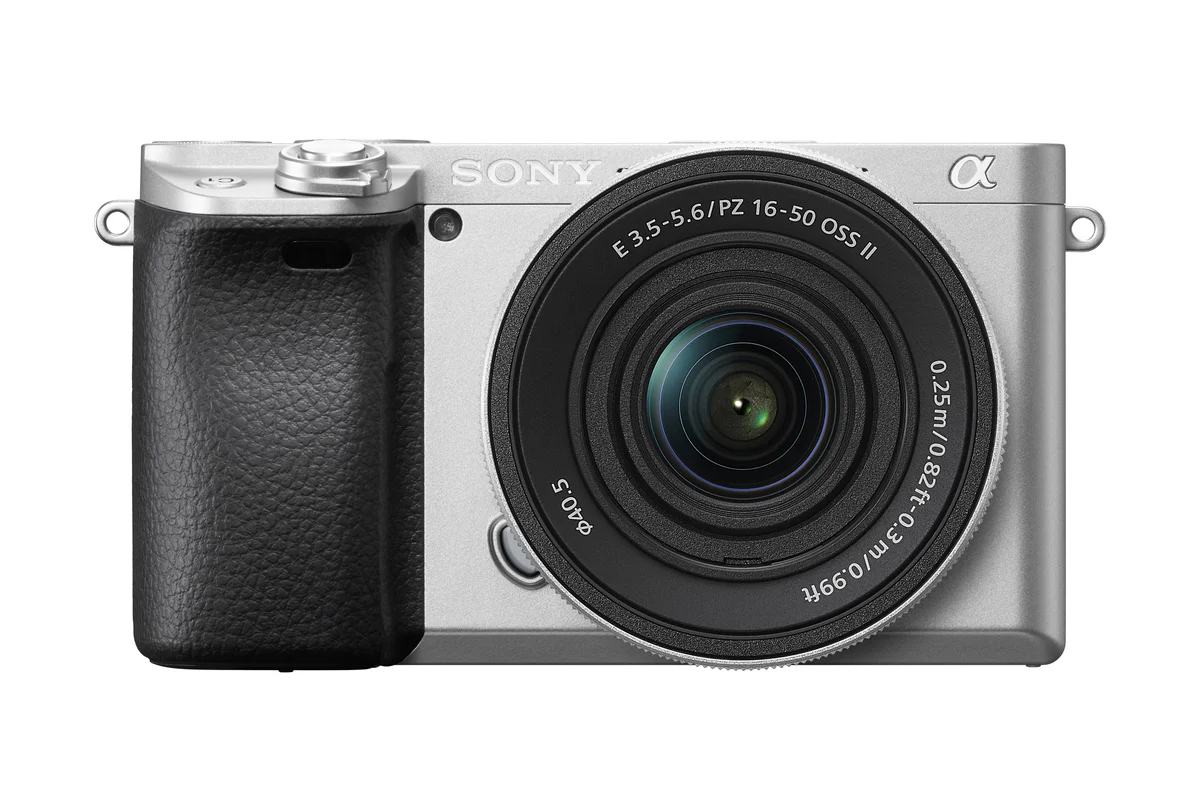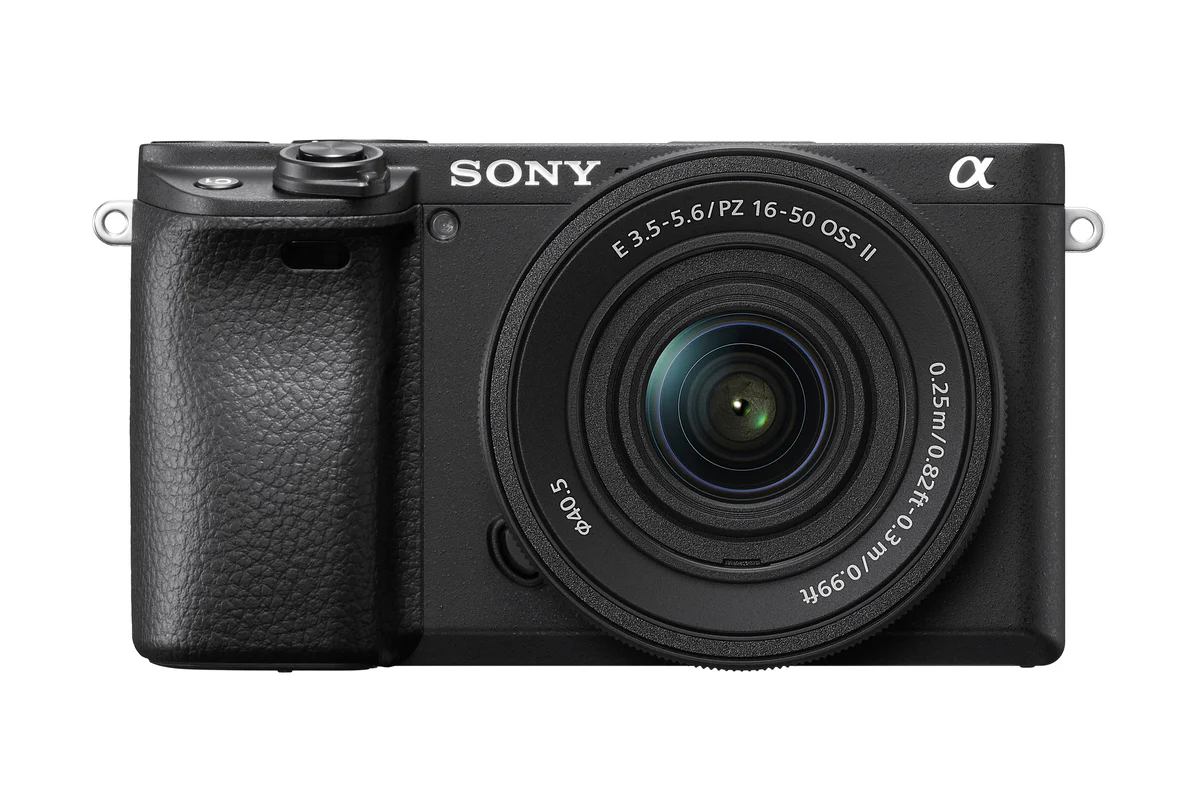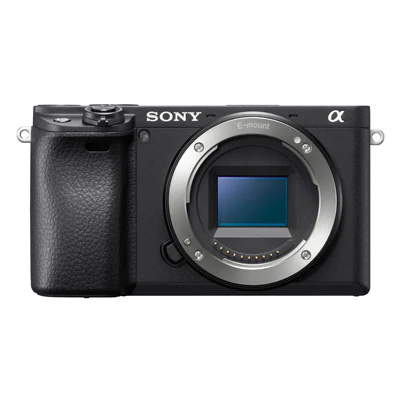
ILCE-6400 - Alpha 6400 E-mount camera
Innovation in service to your creativity
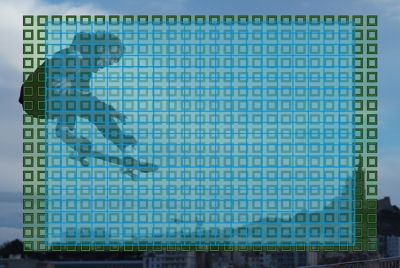
Unparalleled AF performance is the key to beautiful shots

More accurate autofocus in dim lighting
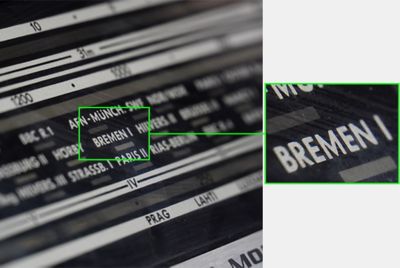
AF in Focus Magnifier for finer focus adjustment
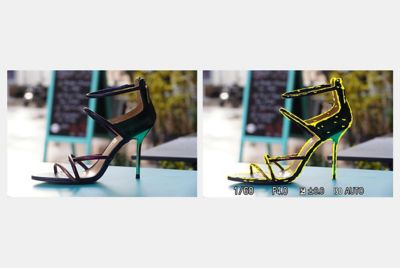
Easier manual focus with an improved peaking function
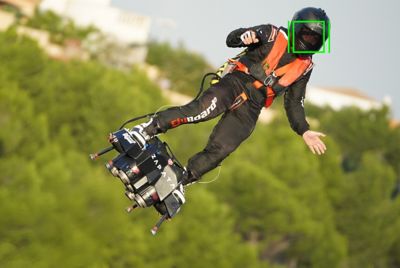
Real-time Tracking holds the focus on tracked subjects
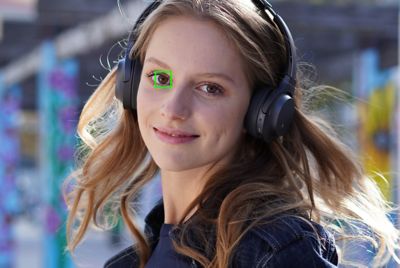
Enhanced Real-time Eye AF supports portrait shooting
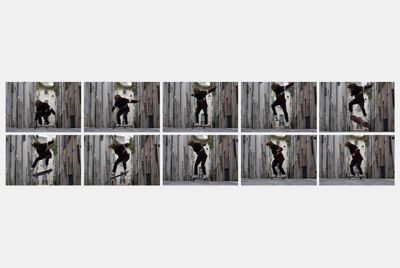
High speed continuous shooting with AF/AE tracking
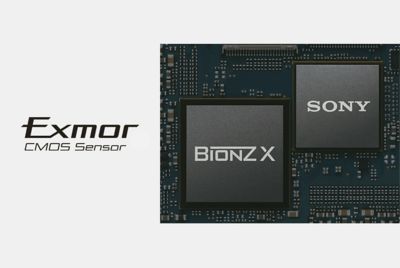
An innovative image-processing system
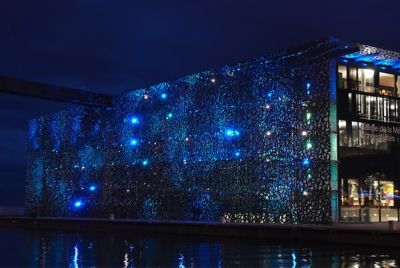
Extraordinary image quality, low noise and a wider ISO range
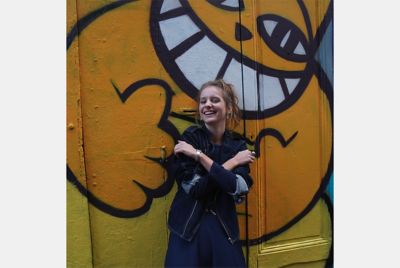
Newly added 1:1 aspect ratio for easier social-media shots
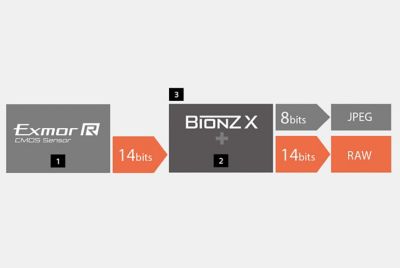
4-bit RAW output with rich tonal gradation
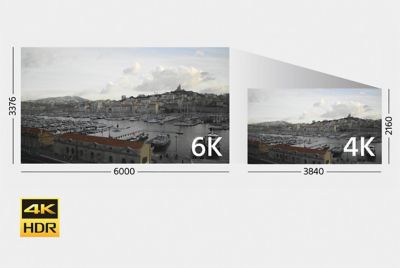
4K movie recording in high-bit-rate XAVC S format

Steady, precise AF tracking for better movies
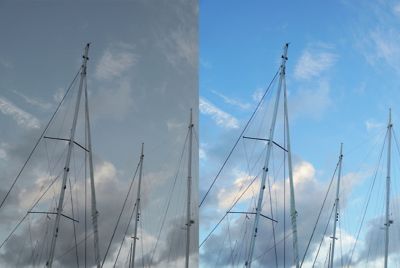
S-Gamut/S-Log shooting

Slow and Quick motion, and high-speed 120fps recording
Sophisticated features for easier movie-making
The α6400 facilitates the workflow of professional videographers with a wide range of functions, including clean HDMI output, time code / user bits (TC/UB), rec. control, marker display/setting, zebra function, Slow & Quick Motion11, simultaneous proxy movie recording, extraction and separate storage of a still from a movie, Gamma Display Assist function, and in-monitor display of current ISO value when shooting with ISO Auto, among others.
Support for professional-quality mic and audio input
External microphones can be attached via the microphone jack, and there is also an option for line input via XLR connectors using the camera's separately available XLR adaptor kit, which enables connection with various high-end microphones for professional-level audio.
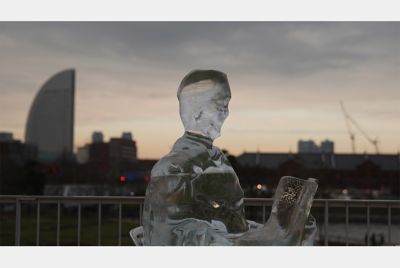
Interval shooting for the creation of time-lapse movies
Continuous shooting with a set interval between 1 and 60 seconds is now available within the camera, and the resulting still images can be edited into a time-lapse movie on a PC using the Viewer application from the Imaging EdgeTM desktop applications. A simple variable-speed preview function allows you to see an image, on the camera, of how the finished movie will look.

180°-tiltable LCD screen with versatile touch functions
The high-resolution 921k-dot LCD has a 3.0-type screen and tilts upward a full 180° for easy framing of self-portraits and vlogs. The LCD's intuitive touch operations include Touch Pad (smoothly move the focus point), Touch Focus (set the focus point), Touch Shutter (release the shutter), and Touch Tracking (activate Real-Time AF).
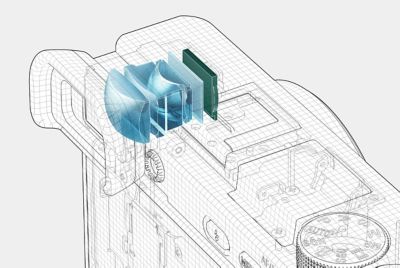
Smooth display on the OLED viewfinder
The high-contrast, high-resolution XGA OLED Tru-FinderTM provides high visibility, fine details even in dark areas, accurate colours and smooth displays at either 60fps or 120fps, with the framerate selectable for smoother viewing. Standard and High quality settings are available for both the viewfinder and the LCD monitor.
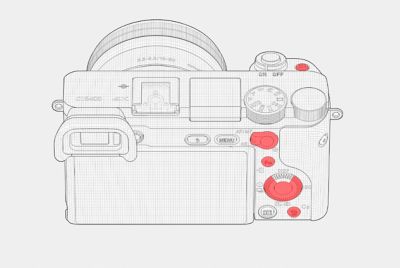
Custom functions for greater operability
The camera's eight keys and controls can be custom-assigned to any of 89 shooting and replay functions, and frequently used functions can also be assigned to the control dial and control wheel with My Dial. My Menu allows flexible assignment of 30 menu items, and the custom settings screen helps keep track of everything. Help displays are available on the menu screen via a single button.
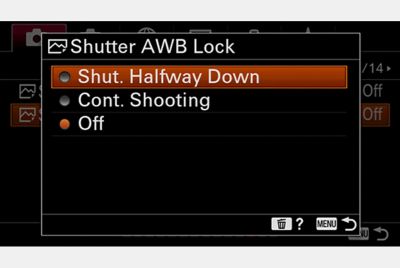
Greater control over white-balance settings
If set in advance, auto white balance can now be locked or unlocked at any time, for more consistent colour tones when there are multiple light sources. Custom setting of white balance has been simplified, and you can now select an AWB priority setting when shooting with incandescent lighting – either warmer Atmosphere Priority, or White Priority for purer whites.

More versatile flash functions
When shooting with compatible wireless flash units, rear-curtain sync and slow sync can now be selected, increasing your creative options for lighting.
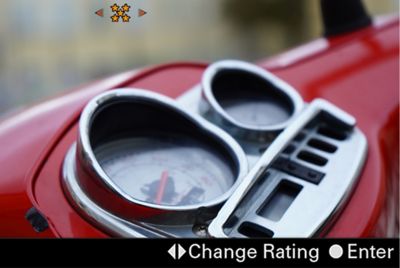
Easier ratings and protection from deletion
Still images can be given a rating or protected from deletion, and both functions can be accessed via pre-assigned custom keys.
Advances in remote camera control
When doing remote shooting using the Remote app from the Imaging Edge desktop applications, you can now use the overlay display to make precise adjustments to focus and composition while checking the live view on your PC screen.
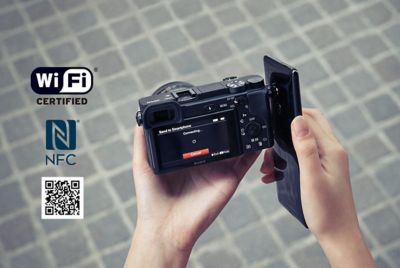
One-touch remote, One-touch sharing, Location Information Link
The One-touch remote feature turns your mobile device into a viewfinder and remote control, while One-touch sharing allows photos and videos to be transferred to your device for social media sharing. The camera can also acquire location data via Bluetooth®. (These mobile device features are available via Sony's Imaging Edge Mobile app.)
Sturdy, durable construction for robust operation
The camera's low-vibration shutter mechanism is designed and tested to withstand around 200,000 shutter cycles, and the body, top cover and front cover use a light but highly rigid magnesium alloy. Major buttons and dials are sealed, and casing components have an interlocked double-layer structure to resist dust and moisture.
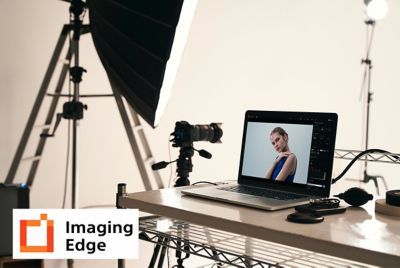
Imaging Edge™ Remote, Viewer, and Edit
Elevate your photography with Imaging Edge desktop applications. Use "Remote" to control and monitor shooting live on your PC screen; "Viewer" to quickly preview, rate, and select photos from large image libraries; and "Edit" to develop RAW data into high-quality photos for delivery. Get the best from Sony RAW files, and manage your productions more efficiently
Works with iMovie and Final Cut Pro X
This product is compatible with Final Cut Pro X and iMovie.
Innovation in service to your creativity
Unparalleled AF performance is the key to beautiful shots
More accurate autofocus in dim lighting
AF in Focus Magnifier for finer focus adjustment
Easier manual focus with an improved peaking function
Real-time Tracking holds the focus on tracked subjects
Enhanced Real-time Eye AF supports portrait shooting
High speed continuous shooting with AF/AE tracking
An innovative image-processing system
Extraordinary image quality, low noise and a wider ISO range
Newly added 1:1 aspect ratio for easier social-media shots
4-bit RAW output with rich tonal gradation
4K movie recording in high-bit-rate XAVC S format
Steady, precise AF tracking for better movies
S-Gamut/S-Log shooting
Slow and Quick motion, and high-speed 120fps recording
Sophisticated features for easier movie-making
The α6400 facilitates the workflow of professional videographers with a wide range of functions, including clean HDMI output, time code / user bits (TC/UB), rec. control, marker display/setting, zebra function, Slow & Quick Motion11, simultaneous proxy movie recording, extraction and separate storage of a still from a movie, Gamma Display Assist function, and in-monitor display of current ISO value when shooting with ISO Auto, among others.
Support for professional-quality mic and audio input
External microphones can be attached via the microphone jack, and there is also an option for line input via XLR connectors using the camera's separately available XLR adaptor kit, which enables connection with various high-end microphones for professional-level audio.
Interval shooting for the creation of time-lapse movies
Continuous shooting with a set interval between 1 and 60 seconds is now available within the camera, and the resulting still images can be edited into a time-lapse movie on a PC using the Viewer application from the Imaging EdgeTM desktop applications. A simple variable-speed preview function allows you to see an image, on the camera, of how the finished movie will look.
180°-tiltable LCD screen with versatile touch functions
The high-resolution 921k-dot LCD has a 3.0-type screen and tilts upward a full 180° for easy framing of self-portraits and vlogs. The LCD's intuitive touch operations include Touch Pad (smoothly move the focus point), Touch Focus (set the focus point), Touch Shutter (release the shutter), and Touch Tracking (activate Real-Time AF).
Smooth display on the OLED viewfinder
The high-contrast, high-resolution XGA OLED Tru-FinderTM provides high visibility, fine details even in dark areas, accurate colours and smooth displays at either 60fps or 120fps, with the framerate selectable for smoother viewing. Standard and High quality settings are available for both the viewfinder and the LCD monitor.
Custom functions for greater operability
The camera's eight keys and controls can be custom-assigned to any of 89 shooting and replay functions, and frequently used functions can also be assigned to the control dial and control wheel with My Dial. My Menu allows flexible assignment of 30 menu items, and the custom settings screen helps keep track of everything. Help displays are available on the menu screen via a single button.
Greater control over white-balance settings
If set in advance, auto white balance can now be locked or unlocked at any time, for more consistent colour tones when there are multiple light sources. Custom setting of white balance has been simplified, and you can now select an AWB priority setting when shooting with incandescent lighting – either warmer Atmosphere Priority, or White Priority for purer whites.
More versatile flash functions
When shooting with compatible wireless flash units, rear-curtain sync and slow sync can now be selected, increasing your creative options for lighting.
Easier ratings and protection from deletion
Still images can be given a rating or protected from deletion, and both functions can be accessed via pre-assigned custom keys.
Advances in remote camera control
When doing remote shooting using the Remote app from the Imaging Edge desktop applications, you can now use the overlay display to make precise adjustments to focus and composition while checking the live view on your PC screen.
One-touch remote, One-touch sharing, Location Information Link
The One-touch remote feature turns your mobile device into a viewfinder and remote control, while One-touch sharing allows photos and videos to be transferred to your device for social media sharing. The camera can also acquire location data via Bluetooth®. (These mobile device features are available via Sony's Imaging Edge Mobile app.)
Sturdy, durable construction for robust operation
The camera's low-vibration shutter mechanism is designed and tested to withstand around 200,000 shutter cycles, and the body, top cover and front cover use a light but highly rigid magnesium alloy. Major buttons and dials are sealed, and casing components have an interlocked double-layer structure to resist dust and moisture.
Imaging Edge™ Remote, Viewer, and Edit
Elevate your photography with Imaging Edge desktop applications. Use "Remote" to control and monitor shooting live on your PC screen; "Viewer" to quickly preview, rate, and select photos from large image libraries; and "Edit" to develop RAW data into high-quality photos for delivery. Get the best from Sony RAW files, and manage your productions more efficiently
Works with iMovie and Final Cut Pro X
This product is compatible with Final Cut Pro X and iMovie.
Description
Innovation in service to your creativity
Unparalleled AF performance is the key to beautiful shots
More accurate autofocus in dim lighting
AF in Focus Magnifier for finer focus adjustment
Easier manual focus with an improved peaking function
Real-time Tracking holds the focus on tracked subjects
Enhanced Real-time Eye AF supports portrait shooting
High speed continuous shooting with AF/AE tracking
An innovative image-processing system
Extraordinary image quality, low noise and a wider ISO range
Newly added 1:1 aspect ratio for easier social-media shots
4-bit RAW output with rich tonal gradation
4K movie recording in high-bit-rate XAVC S format
Steady, precise AF tracking for better movies
S-Gamut/S-Log shooting
Slow and Quick motion, and high-speed 120fps recording
Sophisticated features for easier movie-making
The α6400 facilitates the workflow of professional videographers with a wide range of functions, including clean HDMI output, time code / user bits (TC/UB), rec. control, marker display/setting, zebra function, Slow & Quick Motion11, simultaneous proxy movie recording, extraction and separate storage of a still from a movie, Gamma Display Assist function, and in-monitor display of current ISO value when shooting with ISO Auto, among others.
Support for professional-quality mic and audio input
External microphones can be attached via the microphone jack, and there is also an option for line input via XLR connectors using the camera's separately available XLR adaptor kit, which enables connection with various high-end microphones for professional-level audio.
Interval shooting for the creation of time-lapse movies
Continuous shooting with a set interval between 1 and 60 seconds is now available within the camera, and the resulting still images can be edited into a time-lapse movie on a PC using the Viewer application from the Imaging EdgeTM desktop applications. A simple variable-speed preview function allows you to see an image, on the camera, of how the finished movie will look.
180°-tiltable LCD screen with versatile touch functions
The high-resolution 921k-dot LCD has a 3.0-type screen and tilts upward a full 180° for easy framing of self-portraits and vlogs. The LCD's intuitive touch operations include Touch Pad (smoothly move the focus point), Touch Focus (set the focus point), Touch Shutter (release the shutter), and Touch Tracking (activate Real-Time AF).
Smooth display on the OLED viewfinder
The high-contrast, high-resolution XGA OLED Tru-FinderTM provides high visibility, fine details even in dark areas, accurate colours and smooth displays at either 60fps or 120fps, with the framerate selectable for smoother viewing. Standard and High quality settings are available for both the viewfinder and the LCD monitor.
Custom functions for greater operability
The camera's eight keys and controls can be custom-assigned to any of 89 shooting and replay functions, and frequently used functions can also be assigned to the control dial and control wheel with My Dial. My Menu allows flexible assignment of 30 menu items, and the custom settings screen helps keep track of everything. Help displays are available on the menu screen via a single button.
Greater control over white-balance settings
If set in advance, auto white balance can now be locked or unlocked at any time, for more consistent colour tones when there are multiple light sources. Custom setting of white balance has been simplified, and you can now select an AWB priority setting when shooting with incandescent lighting – either warmer Atmosphere Priority, or White Priority for purer whites.
More versatile flash functions
When shooting with compatible wireless flash units, rear-curtain sync and slow sync can now be selected, increasing your creative options for lighting.
Easier ratings and protection from deletion
Still images can be given a rating or protected from deletion, and both functions can be accessed via pre-assigned custom keys.
Advances in remote camera control
When doing remote shooting using the Remote app from the Imaging Edge desktop applications, you can now use the overlay display to make precise adjustments to focus and composition while checking the live view on your PC screen.
One-touch remote, One-touch sharing, Location Information Link
The One-touch remote feature turns your mobile device into a viewfinder and remote control, while One-touch sharing allows photos and videos to be transferred to your device for social media sharing. The camera can also acquire location data via Bluetooth®. (These mobile device features are available via Sony's Imaging Edge Mobile app.)
Sturdy, durable construction for robust operation
The camera's low-vibration shutter mechanism is designed and tested to withstand around 200,000 shutter cycles, and the body, top cover and front cover use a light but highly rigid magnesium alloy. Major buttons and dials are sealed, and casing components have an interlocked double-layer structure to resist dust and moisture.
Imaging Edge™ Remote, Viewer, and Edit
Elevate your photography with Imaging Edge desktop applications. Use "Remote" to control and monitor shooting live on your PC screen; "Viewer" to quickly preview, rate, and select photos from large image libraries; and "Edit" to develop RAW data into high-quality photos for delivery. Get the best from Sony RAW files, and manage your productions more efficiently
Works with iMovie and Final Cut Pro X
This product is compatible with Final Cut Pro X and iMovie.